
Features
Powerful Features. Built for Crystal Reports.
ViewerFX for Crystal Reports gives you everything you need to open, interact with, export, and share Crystal Reports, all in a fast, modern Windows application.
- Native Windows performance
- Easy to use
- Trusted since 2005
Open & View
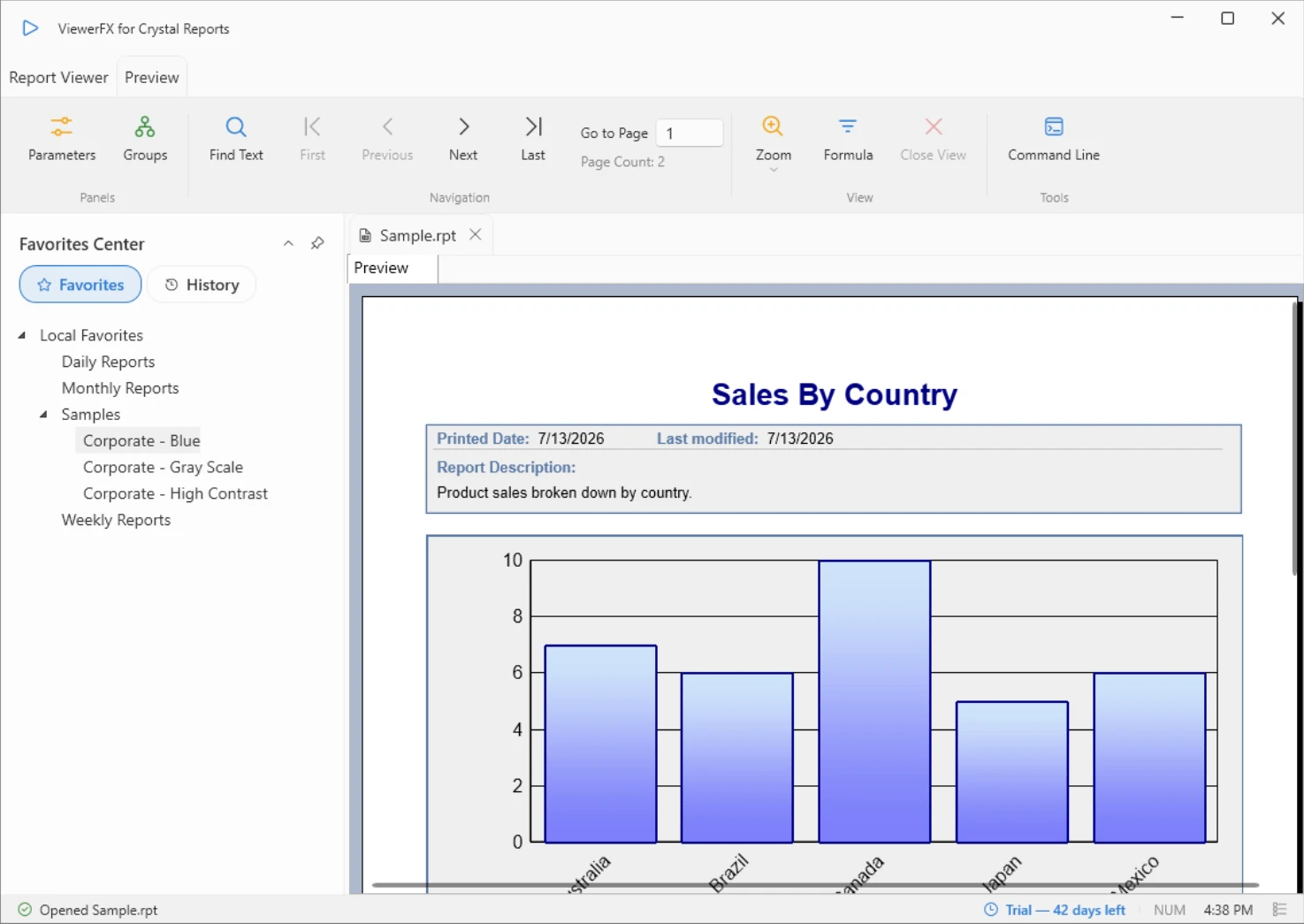
ViewerFX for Crystal Reports opens .rpt files directly, with no Crystal Reports Designer installation required. Double-click a report or open it from the ribbon and it renders with full fidelity, ready to read, print, or share.
Work the way you do in a modern browser: open several reports side by side in tabs, jump back to recent files, and move through pages with the navigation controls or thumbnails.
- Opens reports created in Crystal Reports 8.5 and above
- Multiple reports open in tabs
- Page navigation and zoom controls
- Recent files list
Drill Down
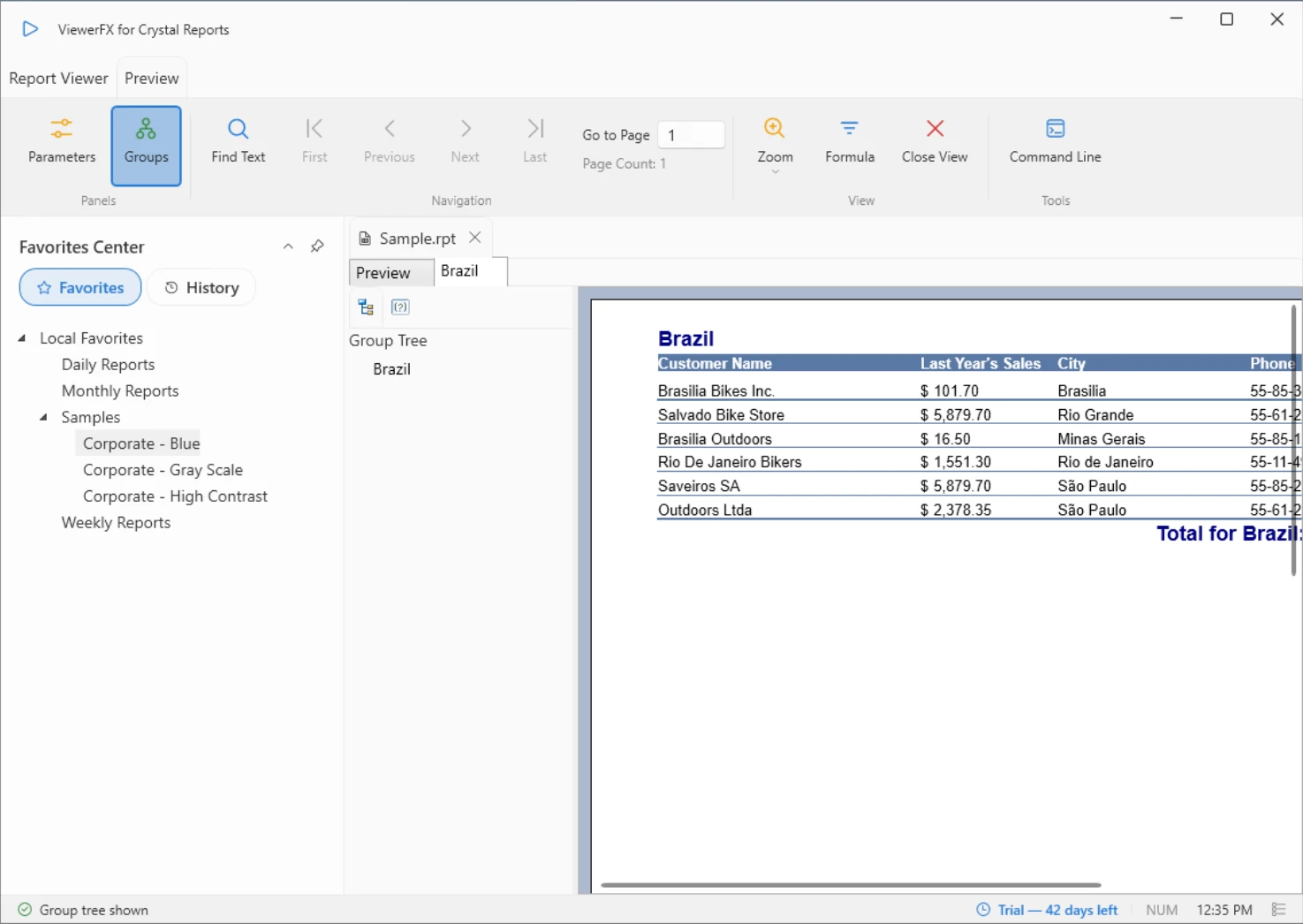
Summary numbers only tell half the story. Drill into groups to see the detail behind every total, exactly as the report author designed it.
Each drill-down opens in its own view beside the main report, and the Group Tree panel keeps the full structure one click away, so you never lose your place.
- Drill into groups and detail sections
- Group Tree panel for quick navigation
- Drill-down views open in their own tabs
- Main report context is always preserved
Export
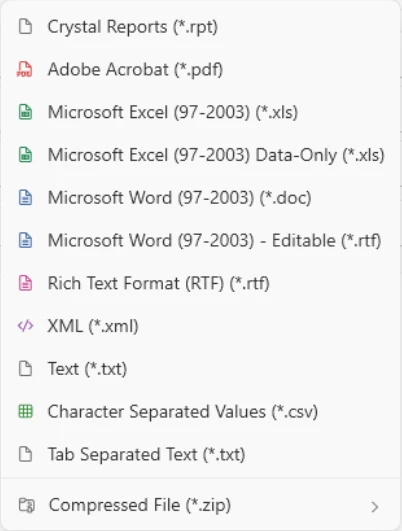
Turn any report into the file your workflow needs. ViewerFX exports to 13 formats, including PDF, Excel, Word, CSV, XML, and HTML.
The formats are available when saving a report to disk, and 11 of the 13 can also be attached to an email (the two HTML formats are save-only). Exports keep the report layout and formatting intact.
- Adobe Acrobat (PDF), Excel, and Word
- CSV, XML, text, and HTML formats
- Crystal Reports (RPT) format
- ZIP packaging with optional AES encryption
Parameters
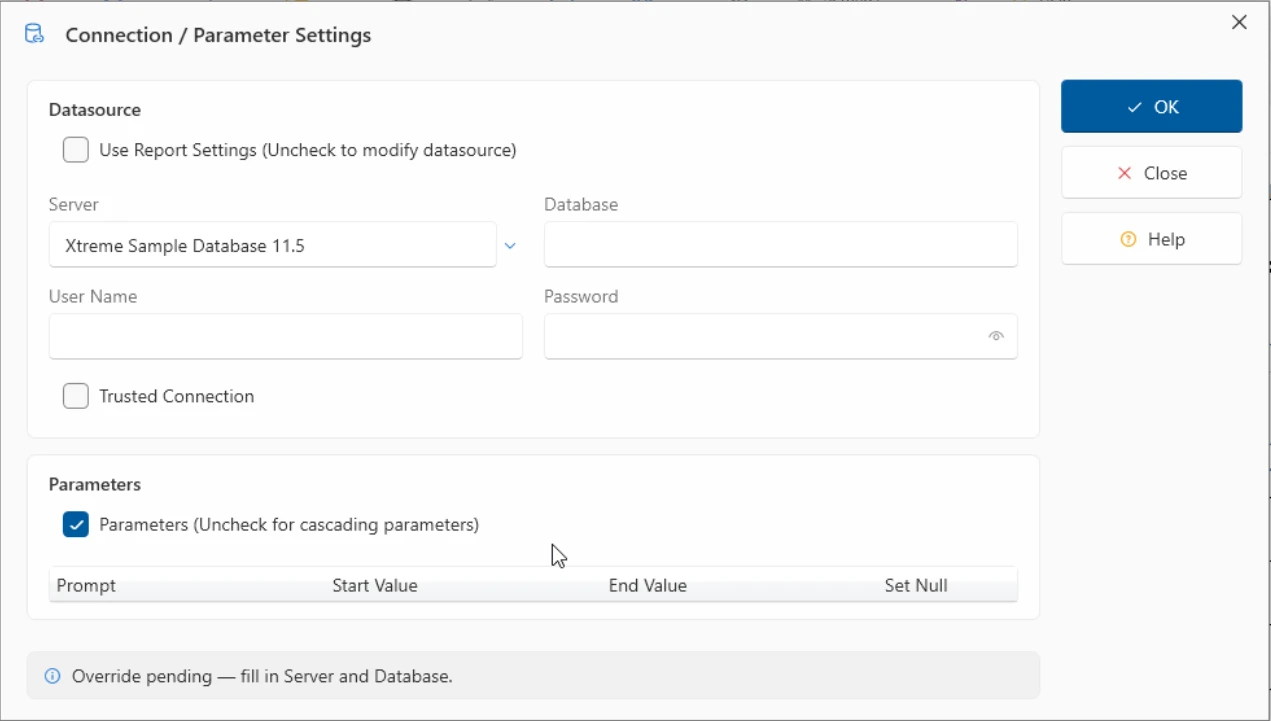
Parameterized reports ask questions before they run. ViewerFX presents them in a clean Connection / Parameter Settings dialog instead of a chain of prompts.
Enter single values or ranges, adjust the data source logon when a report needs credentials, and refine results further with the Selection Formula editor.
- Single values and ranges
- Data source logon override
- Selection Formula / Select Expert
- Refresh with new values at any time
Share & Email
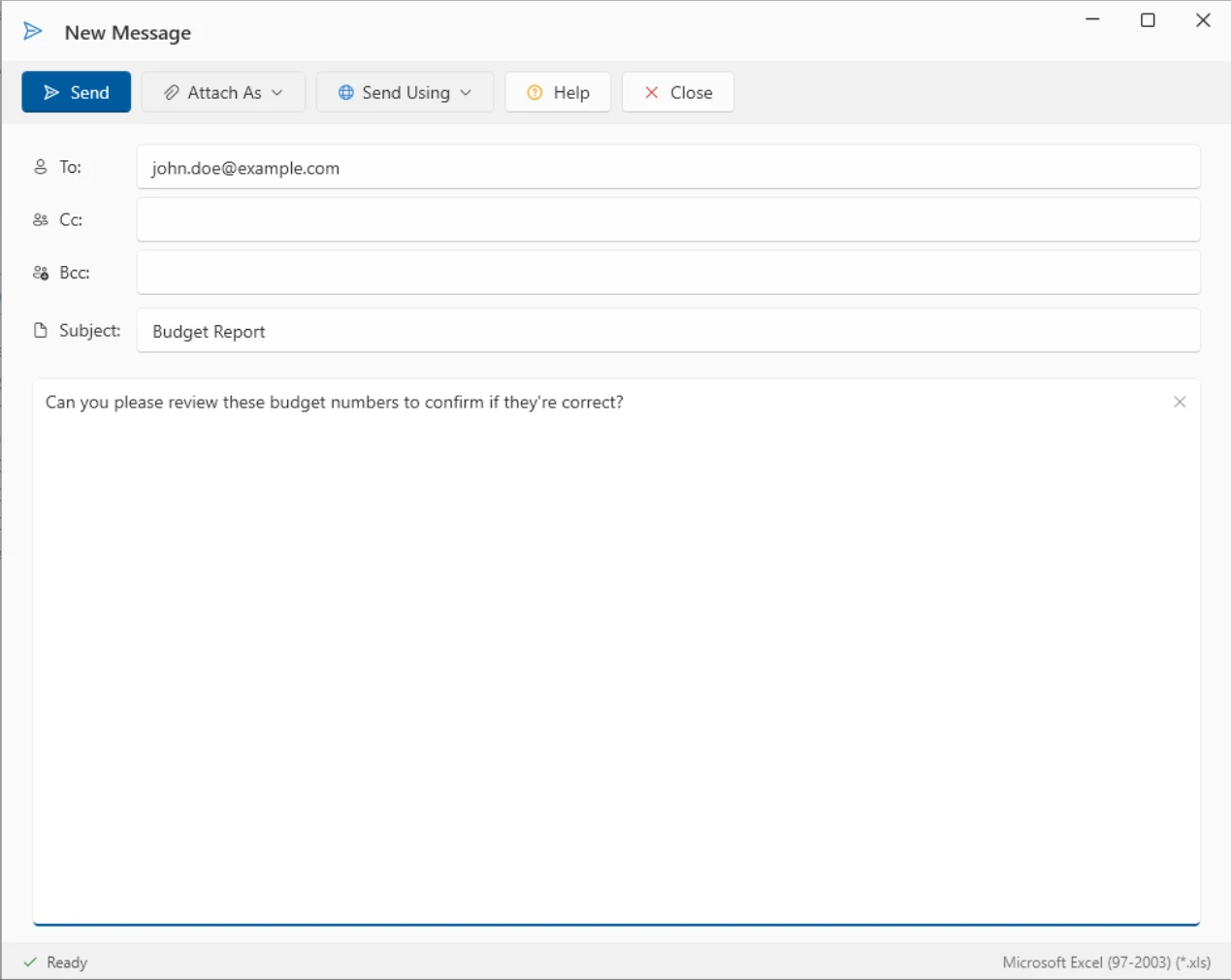
Reports are made to be shared. Email a report without leaving ViewerFX: pick a format, address the message with To, Cc, and Bcc, and send through your SMTP account, with Outlook contacts a click away.
For automated hand-offs, deliver output straight to a folder or an FTP location, and save the destinations you use often as reusable bookmarks.
- Attach reports in any export format
- SMTP accounts and Outlook contacts
- Deliver to folders or FTP locations
- Reusable FTP and SMTP bookmarks
Find & Search
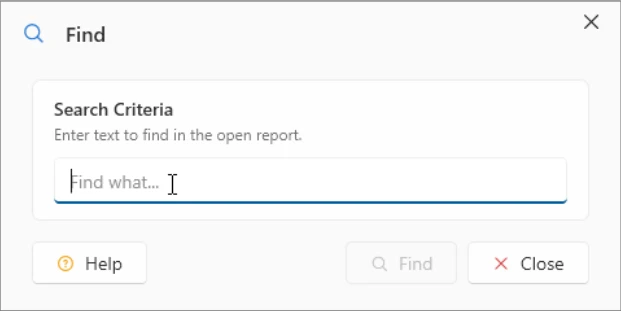
Long reports hide the one line you need. The Find dialog searches the text of the open report and takes you straight to each match.
Combined with the Group Tree and page thumbnails, you can move from a hundred-page report to a single figure in seconds.
- Find text in the open report
- Jump between matches
- Group Tree and thumbnail navigation
- Available from the ribbon on every report
Experience the Full Power of ViewerFX
Try every feature free for 45 days. No credit card required.