
How-To
Email Crystal Reports from Your Desktop
By the Origin Software team · Updated
The quick answer
Open the report in ViewerFX for Crystal Reports, click Email on the ribbon, choose the attachment format, address the message, and send. No switching to another application, no exporting first and hunting for the file afterward.
How do I email a report, step by step?
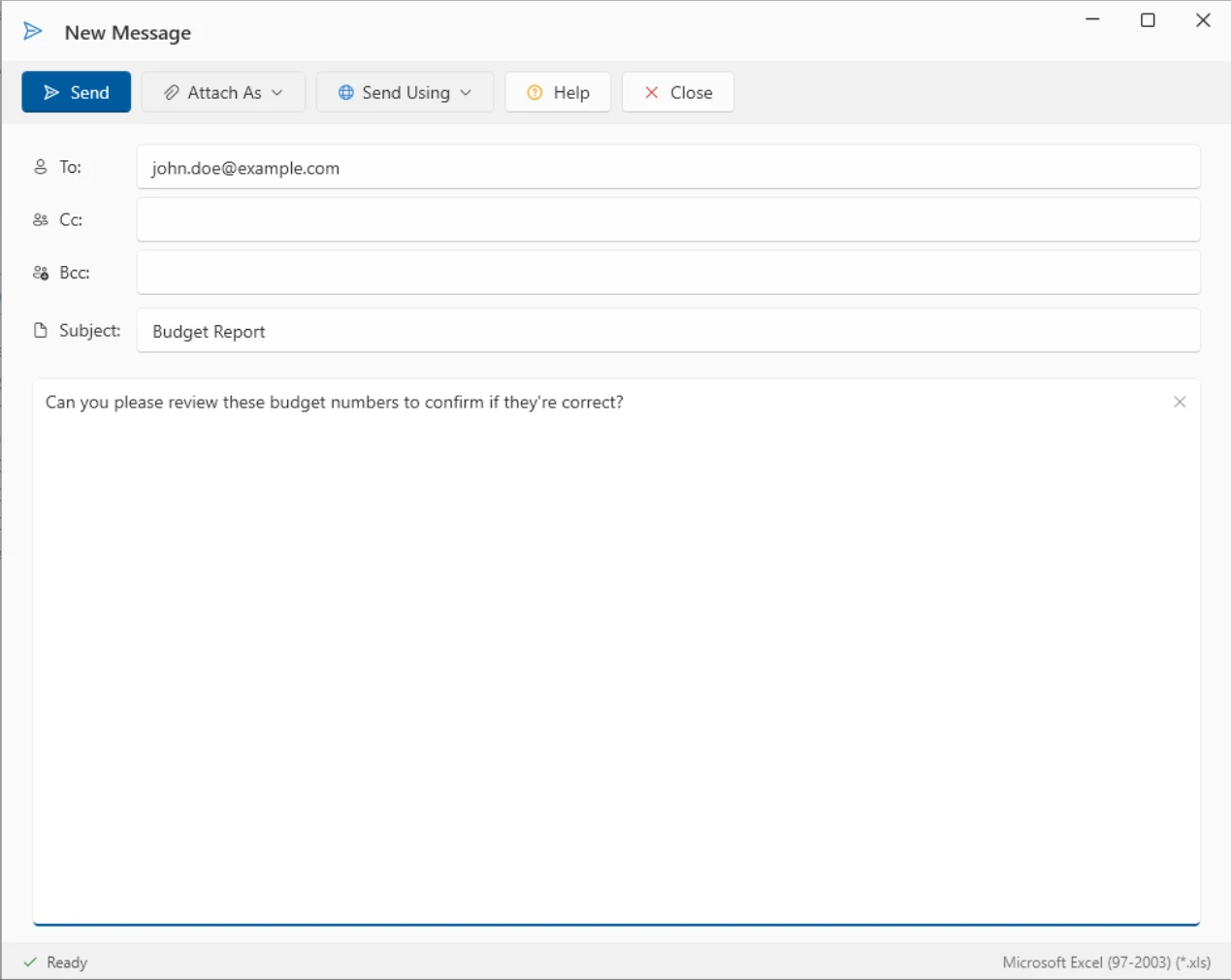
- Open the report and click Email in the Send group on the ribbon.
- Pick the attachment format from Attach As, such as PDF or Excel.
- Fill in To, Cc, and Bcc, the subject, and your message.
- Click Send. The report is exported and attached in one step.
How do Outlook contacts and SMTP accounts fit in?
With a paid license, ViewerFX can send through your own SMTP server accounts, with modern TLS support, and address messages using the Outlook contacts picker instead of retyping addresses. You can save more than one SMTP account and manage the destinations you use often as reusable bookmarks. These features are also enabled during the 45-day trial.
Can I automate recurring report output?
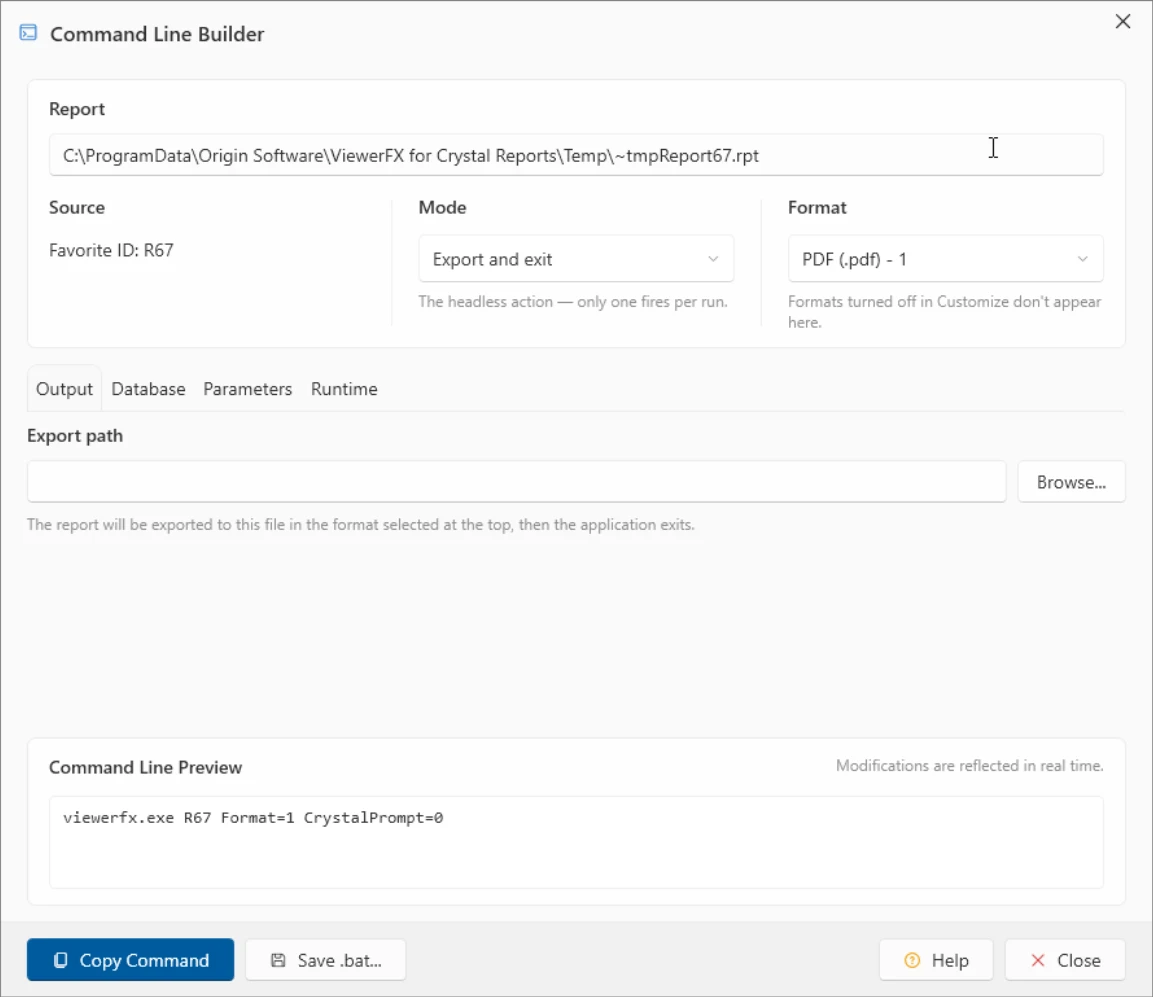
Yes. The Command Line Builder, included with any paid license, assembles a command line that runs a report unattended and produces its output without any clicks. Point it at a favorite report, pick the mode and format, and copy the generated command or save it as a .bat file. Schedule that command with Windows Task Scheduler and the output is produced on whatever cadence you need. Combined with folder and FTP delivery, that covers most recurring hand-offs without anyone opening the viewer.
Everything above works in full during the 45-day trial, no credit card required, so you can wire up a real recurring delivery before deciding on a license.