
How-To
Export Crystal Reports to PDF and Excel
By the Origin Software team · Updated
The quick answer
Open the report in ViewerFX for Crystal Reports, click Export on the ribbon, pick a format such as Adobe Acrobat (PDF) or Microsoft Excel, choose where to save, and you are done. Eleven of the 13 formats are also available when attaching a report to an email; the two HTML formats are save-only.
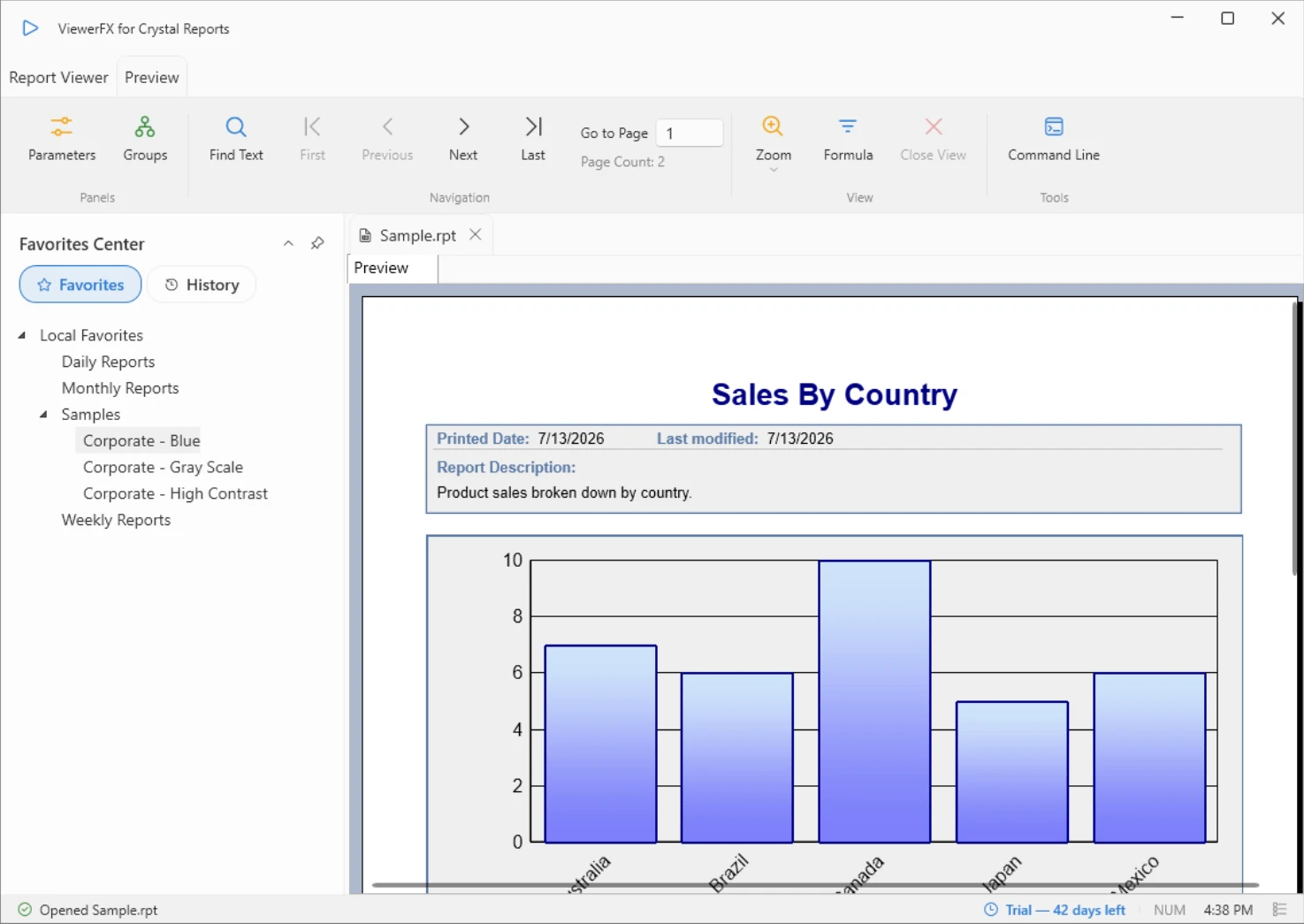
How do I export a report, step by step?
- Open the .rpt file in ViewerFX, from the ribbon or by double-clicking the file.
- Click Export in the Send group on the ribbon.
- A standard Windows Save As dialog opens. Pick the format from the Save as type list.
- Choose a file name and location, then save. The export keeps the report layout and formatting.
Which formats can I export to?
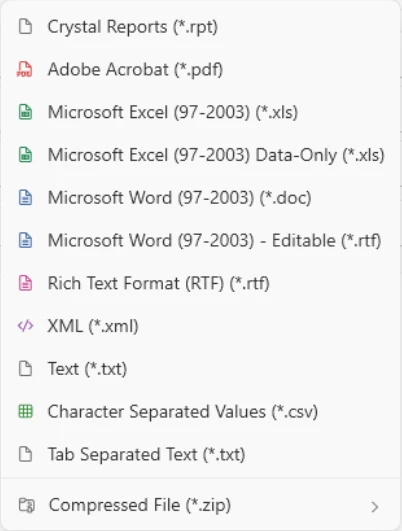
ViewerFX exports to exactly 13 formats:
- Adobe Acrobat (PDF)
- Microsoft Excel 97-2003 and Microsoft Excel 97-2003 Data-Only
- Microsoft Word 97-2003 and Microsoft Word 97-2003 Editable (RTF)
- Rich Text Format (RTF)
- XML, Text, Character Separated Values (CSV), and Tab Separated Text
- Crystal Reports (RPT)
- HTML 3.2 and HTML 4.0
With a paid license, any format can also be packaged as a ZIP file, with optional AES encryption. The Free license exports to PDF, both Excel variants, both Word variants, RTF, and RPT; a paid license adds the remaining formats and ZIP packaging.
Which format should I choose?
- PDF preserves the exact layout and is the safest choice for sharing and archiving.
- Excel keeps the report structure for spreadsheet work; Excel Data-Only drops layout decoration and is better for analysis.
- CSV or Tab Separated feed other systems cleanly.
- RPT hands a colleague the report itself, which they can open in any Crystal Reports viewer.
All 13 formats are enabled during the 45-day trial, so you can test each output against whatever consumes it before deciding on a license.